
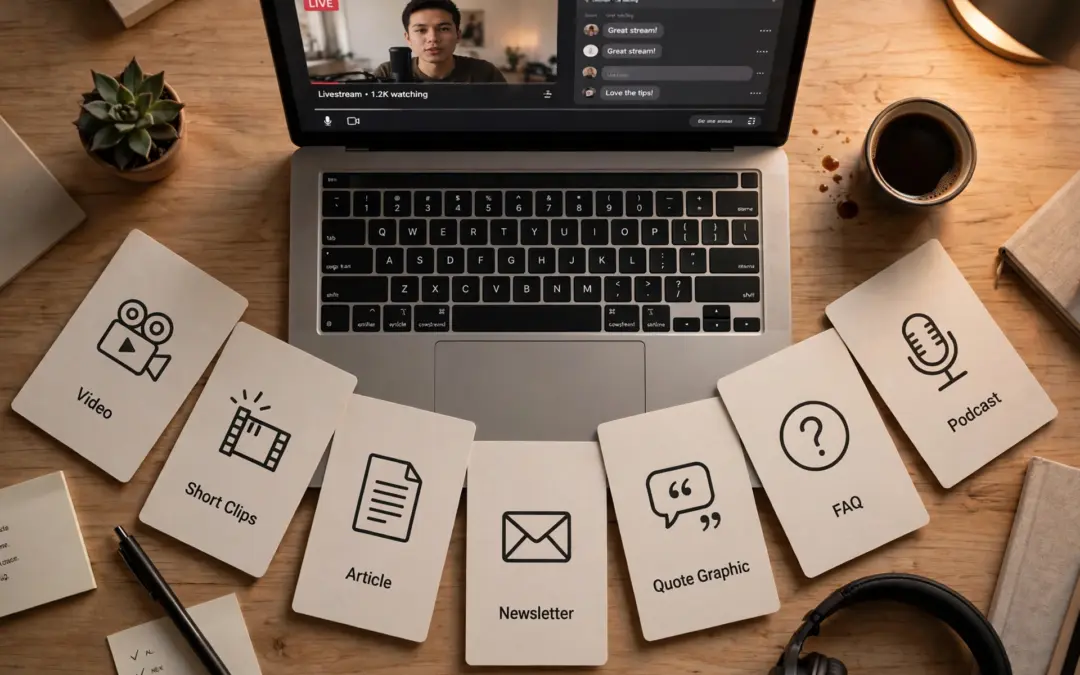
Most creators treat a livestream as a single event: go live, say thanks, close the laptop, and start worrying about tomorrow’s content. That is an expensive habit. A single one-hour livestream contains a week of material — if you run it through a system instead of letting it evaporate. This is that system: one broadcast in, seven publishable assets out, with AI tools doing the heavy lifting at every step and a total time budget you can actually keep.
The seven assets are: the edited video, short clips, a blog post, a newsletter issue, quote graphics, an FAQ, and an audio episode. Here is how each one gets made.
Step 0: Stream Like You Mean to Repurpose It (60 minutes)
Repurposing starts before you press Go Live. Stream on a platform that records a clean copy and, ideally, separate audio tracks — StreamYard is built for exactly this, with local recordings and multistreaming so the same broadcast lands on YouTube, LinkedIn, and Facebook at once. Then structure the stream for the scissors:
- Open with a self-contained hook. Your first 60 seconds should make sense to someone who finds the recording cold.
- Announce your segments. “Three things today: first…” gives future clips natural start and end points.
- Pause between ideas. Two seconds of silence is an edit point you’ll thank yourself for later.
- Read chat questions aloud. A clip that starts with the question is watchable without context.
- Restate your best lines. If you said something quotable, say it once more, cleanly. That’s your quote graphic and your clip hook.
Step 1: The Edited Video (30 minutes)
Upload the recording to Descript, which transcribes it and lets you edit video by editing text — delete a sentence in the transcript and the video cuts with it. Remove the pre-show waiting, the tech fumbles, and any dead air. Add captions, export, and publish to YouTube with chapters based on your segments. This is your anchor asset; everything else points back to it.
Step 2: Short Clips (30 minutes)
Feed the recording to Opus Clip, which scans for high-energy, self-contained moments, scores them, and returns captioned vertical clips with the filler already trimmed. Pick the best three to five, fix any caption errors by hand, and schedule them across the week. Human judgment still matters here: the AI finds candidate moments, but you know which one your audience will argue about in the comments. Post that one first.
Step 3: The Blog Post (45 minutes)
Take the Descript transcript and hand it to an AI assistant like Claude with a strict brief: turn this into a structured article in my voice, with headings, a summary up top, and the three strongest claims pulled out — do not invent facts that aren’t in the transcript. Then edit like an editor, not an author: tighten the intro, add links, write a real headline. What you’d never do from scratch in 45 minutes becomes a finishing job.
Step 4: The Newsletter Issue (20 minutes)
The blog post compresses into a newsletter almost mechanically: the intro becomes your opening, the three strongest points become the body, and the best clip becomes the link you ask readers to watch. Add one line of genuine commentary — something you thought after the stream ended — because that sentence is the part no automation can write for you, and it’s the part subscribers actually reply to.
One formatting trick makes this step nearly free: keep a standing newsletter template with your header, sign-off, and a “watch / read / listen” block already in place. Each week you are filling three slots, not designing an email. The same template discipline applies to the subject line — write it from the strongest claim in the post, not from the stream’s title, because subscribers open on curiosity, not on your filing system.
Step 5: Quote Graphics (15 minutes)
Pull the two or three lines you restated cleanly during the stream (see Step 0) and drop them into a saved Canva template with your branding. Because the template already exists, this is a paste-and-export job. Quote graphics are your cheapest asset and your most shared one — they travel into feeds your video never reaches.
Step 6: The FAQ (20 minutes)
Go back to the chat log. Every question viewers asked is a search query someone else will type into Google or an AI assistant. Answer the top five in writing, briefly and directly, and publish them as an FAQ section on the blog post or as a standalone page. This asset compounds: it captures search traffic for months and doubles as material for your next stream’s outline.
Step 7: The Audio Episode (15 minutes)
Strip the audio from the edited video, run a quick loudness pass, add a ten-second intro, and publish it as a podcast episode with show notes generated from the same transcript. Your stream’s audience watched; this version reaches the people who listen on walks and drives. Nearly free reach, bought with fifteen minutes.
Insights: The Workflow at a Glance
- Total time budget: roughly 2 hours 35 minutes of post-production turns a 1-hour stream into 7 assets — a week of publishing from one recording session.
- The order matters. Video first, because clips, transcript, and audio all derive from the edited master. Never clip the raw stream.
- AI does the extraction; you do the judgment. Transcription, clip-finding, and first drafts are machine work. Picks, headlines, and the one human sentence in the newsletter are yours.
- Design for repurposing before you stream. Segmented structure, clean restatements, and read-aloud questions are what make the other six assets cheap.
One hour live is not one piece of content. It is a week of content that hasn’t been unpacked yet.
The Rule That Makes It Sustainable
Do not let the workflow become a second job. Pick a fixed repurposing block — say, the morning after each stream — run the seven steps in order, and stop when the timer ends. Assets that miss the block don’t get rescued; the next stream is already coming. Consistency beats completeness, and a workflow you’ll actually repeat beats a perfect one you’ll abandon by week three.
If you want the full system — stream setup, gear, promotion, and the repurposing calendar in one place — StreamBase’s The Complete Streaming Guide ($39) lays it out end to end: get it on Gumroad. New to streaming? Start with the free starter edition first: download the free Starter.
Your next livestream is already a week of content. Stream it like you know that. The creators who win the week are rarely the ones who stream the most — they are the ones who waste the least of what they already made.